
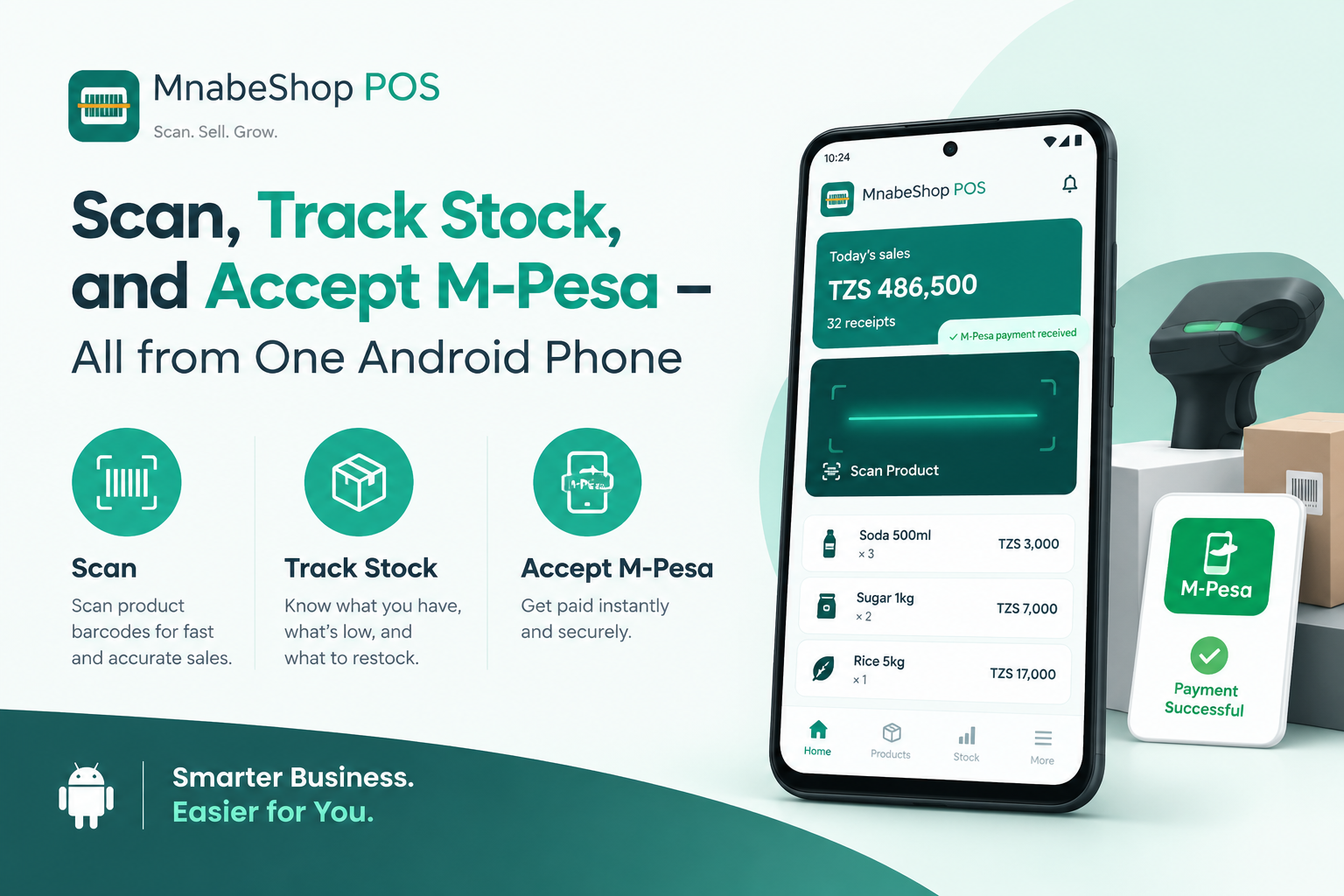
Scan, Track Stock, and Accept M‑Pesa – All from One Android Phone
October 30, 2026, 12:40 p.m. by Marketing Team
# From Paper Tally to Phone Scan: A Tanzanian Duka’s Journey with MnabeShop POS
Running a duka in Dar es Salaam, Arusha, or any town across Tanzania means juggling cash, inventory, and customer expectations. Many shop owners still rely on handwritten ledgers, manual stock counts, and separate cash‑register boxes. The result? Missed sales, stock‑outs, and hours lost reconciling numbers at the end of the day.
MnabeShop POS was built for exactly this reality. By turning any Android phone into a complete point‑of‑sale system, it removes the need for extra hardware while keeping every transaction, stock movement, and payment record safe and instantly accessible. In this deep‑dive we follow one specific feature – **phone‑camera barcode scanning** – and show how it unlocks three concrete benefits for a typical Tanzanian duka: faster checkout, automatic stock control, and seamless mobile‑money payments.
---
## 1. The Everyday Bottleneck: Manual Entry and Lost Time
Before adopting MnabeShop, Asha’s small grocery store in Moshi recorded each sale on a notebook. When a customer bought a packet of rice, Asha wrote the product name, price, and quantity, then calculated change by hand.
* **Time cost:** Each transaction took 45–60 seconds. During busy hours, lines grew and customers left.
* **Error risk:** Hand‑written totals occasionally mis‑added, leading to cash discrepancies.
* **Stock blind spot:** Asha updated her stock ledger only once a week, so she often discovered she was out of popular items after customers asked.
These pain points are common across many dukas that have not yet digitised their checkout.
---
## 2. Phone Scanning: Turning the Camera into a Cashier’s Tool
MnabeShop POS replaces the notebook with a simple, camera‑based scanner. The process is three steps:
1. **Open the Scan screen** – the app activates the phone’s rear camera.
2. **Point at the barcode** – whether it’s an EAN, UPC, Code 128, or QR code printed on the product packaging.
3. **Confirm the sale** – the app automatically fills in the product name, price, and calculates change.
### Real‑World Benefit: Checkout Time Slashed
Asha tried the free plan (up to 50 products, 1 user). After uploading her product list, she scanned a typical basket of five items. The entire checkout took **under 15 seconds**, a 70 % reduction compared with manual entry.
*Customers notice the speed.* Asha’s regulars commented that the line moved “haraka sana” (very fast). Faster checkout means more customers can be served during peak hours, directly increasing daily sales potential.
---
## 3. Automatic Stock Control – No More Guesswork
Every successful scan triggers an instant stock update. MnabeShop deducts the sold quantity from the product’s on‑hand count, and the updated figure is visible in the **Stock** tab.
### Real‑World Benefit: Real‑Time Inventory Awareness
During the same day, Asha sold three packets of the same brand of cooking oil. The stock screen showed the quantity drop from 20 to 17 instantly. When the level reached the low‑stock threshold she set (5 units), the app displayed a **low‑stock alert**.
*Why this matters:*
* **Avoid stock‑outs:** Asha receives a reminder before a popular item runs out, allowing her to reorder in time.
* **Reduce waste:** Perishable goods can be flagged when stock ages, helping her rotate inventory wisely.
* **Accurate accounting:** Because sales and stock move together, the end‑of‑day reconciliation is a simple “check the dashboard” step rather than a manual recount.
---
## 4. Mobile‑Money Payments Integrated Seamlessly
Most Tanzanian customers prefer M‑Pesa, Tigo Pesa, or Airtel Money for quick payments. MnabeShop POS includes a **mobile‑money field** on the receipt screen. After confirming the sale, the cashier selects the payment method, enters the transaction reference received on the customer’s phone, and marks the payment as completed.
### Real‑World Benefit: Cash Flow That Matches Customer Habits
Asha’s shop now accepts cash, card, and mobile money in the same flow. When a customer pays with M‑Pesa, the app records the reference number (e.g., “MPESA123456”) and marks the sale as “Paid via M‑Pesa”.
* **Clear audit trail:** At month‑end, Asha can filter sales by payment type and reconcile the total M‑Pesa amount with her mobile‑money statements.
* **Reduced cash handling:** Less cash on the counter means lower risk of theft and easier bank deposits.
* **Customer convenience:** Shoppers no longer need to carry exact change; they simply confirm the M‑Pesa prompt and walk out.
---
## 5. Reports That Turn Data Into Decisions
All the data captured – sales, stock movements, and payment types – feed into MnabeShop’s **Reports** module. The free plan provides daily sales totals; the Biashara plan (TSh 15,000 / month) adds 7‑day and 30‑day trends, top‑selling products, and expense tracking.
### Real‑World Benefit: Insight Without Extra Effort
Asha opened the **30‑day sales report** on a Sunday evening. She saw that “maziwa” (milk) generated the highest revenue, while “sukari” (sugar) had a steady but lower margin. The report also highlighted that 40 % of sales came from mobile‑money payments.
Armed with this insight, Asha decided to:
* Increase her milk stock to avoid missed sales.
* Negotiate a better purchase price for sugar, knowing its margin.
* Promote mobile‑money discounts during the next promotional week.
These decisions are data‑driven, not based on guesswork.
---
## 6. Getting Started – Free Plan and Premium Trial
MnabeShop POS is designed for dukas that want to start small and grow.
* **Free plan forever:** Up to 50 products, 1 user, basic POS, and 20 generated barcodes per month – perfect for a starter duka.
* **7‑day Premium trial:** New shops receive a full‑feature trial (unlimited products, multiple users, expense management, and priority support) without a credit card.
* **Paid plans:**
* **Biashara** – TSh 15,000 / month (or TSh 150,000 / year with 2 months free).
* **Premium** – TSh 35,000 / month (or TSh 350,000 / year).
To activate, Asha simply downloaded the app from Google Play, signed up with her phone number, and chose the free plan. Within minutes she had her product list, barcode scanner ready, and a low‑stock alert set.
---
## 7. Closing Thoughts: A Duka That Grows With Its Owner
Asha’s experience shows that a single feature – the phone‑camera barcode scanner – can transform a traditional duka into a modern, data‑driven business. Faster checkout, automatic stock updates, and integrated mobile‑money payments create a smoother customer experience while giving the owner real‑time visibility into inventory and cash flow.
The next step is simple: **download MnabeShop POS**, start with the free plan, and explore the 7‑day Premium trial to unlock unlimited products and advanced reports. Let your Android phone become the backbone of your shop’s operations, keeping your data safe and your growth on track.
**Get started free** at https://promerchant.withustechnology.co.tz/ and watch your duka thrive.